Module 03
Time tracking
Correct time beats convenient time. We accept some interface complexity to avoid an ambiguous timestamp.
What it does
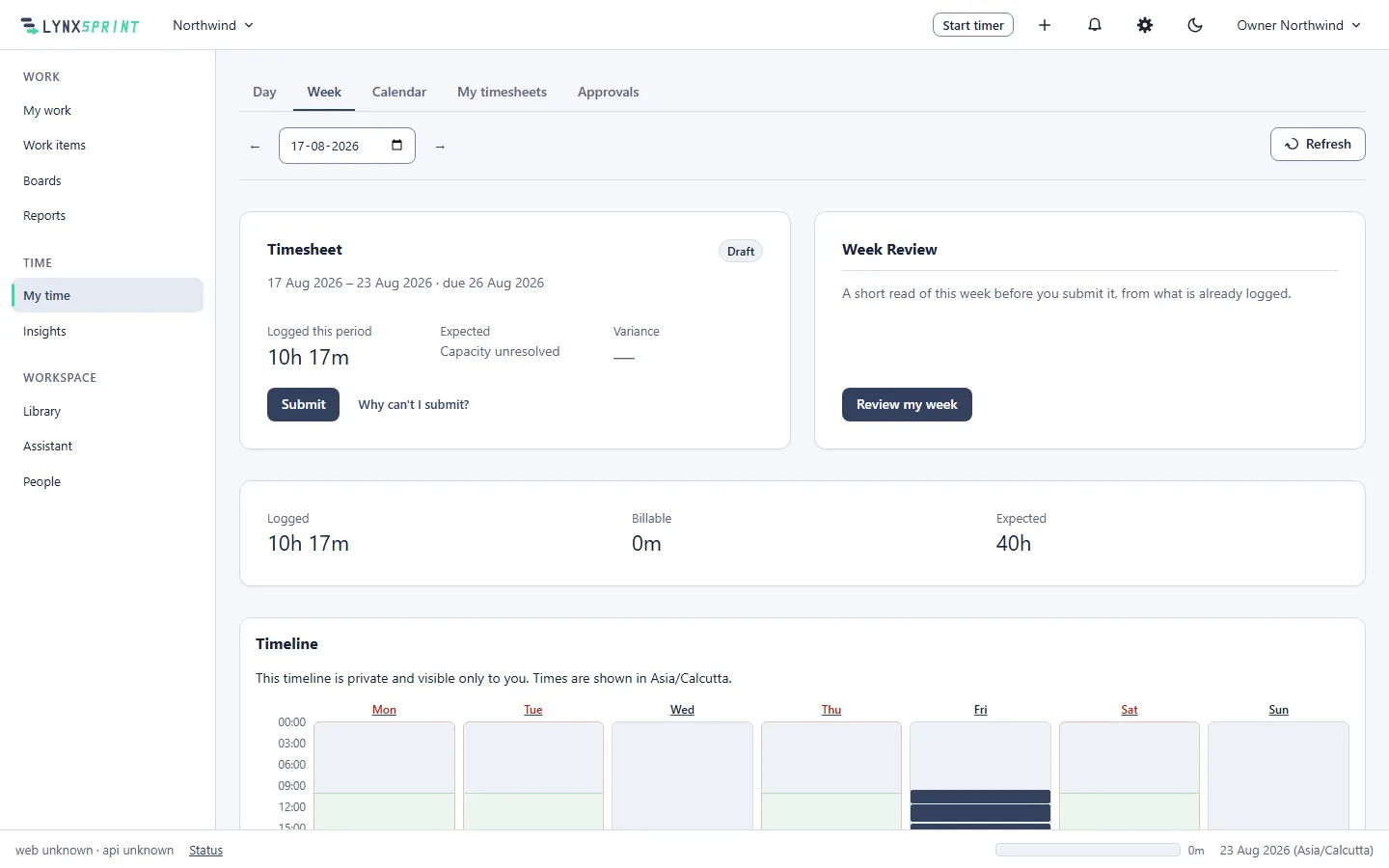
- Durations that survive an audit
- Every entry is a UTC instant stored with an IANA zone and a business date. Overnight shifts and daylight-saving changes are arithmetic, not the twice-yearly defect they are in most systems.
- The timer runs on the server
- Closing the laptop does not stop it and a clock that drifts does not corrupt it. The running timer is a record, not a number counting up in a browser tab.
- Attribution available everywhere, required nowhere
- Hours land against an activity always, and against a project and a work item whenever that is useful. Nobody is blocked from logging time because a project has not been created yet.
- Schedules, holidays and absences
- A working week, a holiday calendar and marked absences are what make a missing timesheet detectable. Without them, an empty Friday and a public holiday look identical.
What it is not
Naming the ceiling is what makes everything above it credible. The roadmap says which of these are deferred and why.
- Screenshot or webcam capture.
- Keystroke, mouse-movement or application-usage logging.
- GPS or device location tracking.
- Productivity scores built from activity telemetry.
The rest of the product
-
Module 01
Work items and projects
Your own vocabulary, typed custom fields, links and saved searches.
-
Module 02
Boards and sprints
Boards across several projects, sprints with goals, and a backlog.
-
Module 04
Timesheets and approvals
A state machine with a decision log, and nobody approves their own.
-
Module 05
Reports and insights
Distribution and timeline reports, utilization, and CSV export.
-
Module 06
The Library
Collections and articles under one permission model, stored as markdown.
-
Module 07
Permissions and people
112 codes, 7 scopes, 9 role templates, and an append-only audit trail.
-
Module 08
Service desk and portal
Queues, SLA clocks against your working calendar, and a customer portal.