Module 01
Work items and projects
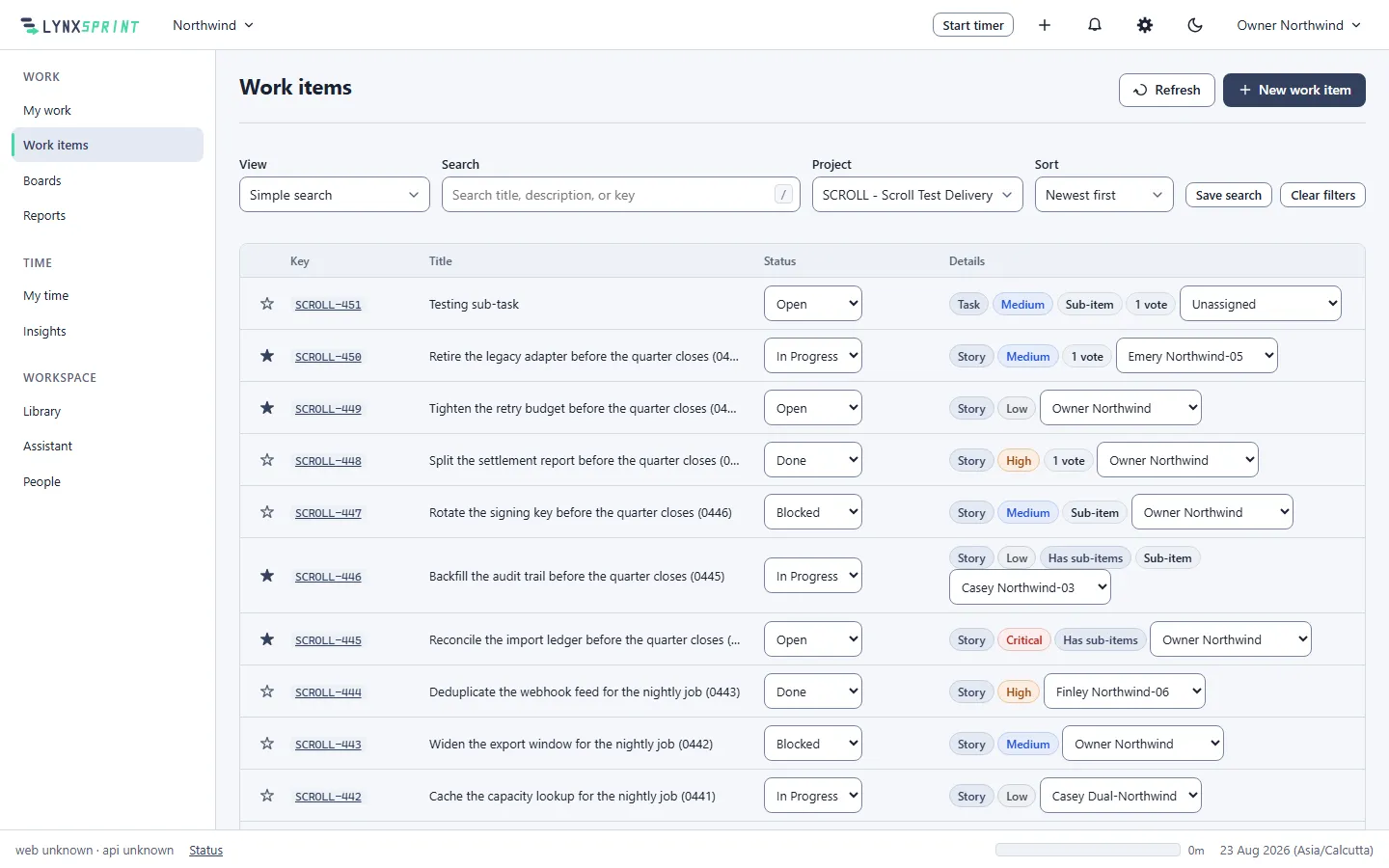
One record shape for every kind of work, so time, reporting and permissions never disagree between one kind and another.
What it does
- Your vocabulary, not ours
- Define your own types, statuses and priorities and reorder them. Retiring one archives it rather than deleting it, so every historical item and report that references it keeps resolving.
- Custom fields with real types
- Thirteen types, including employee, group and version. Values are stored in typed columns with real foreign keys rather than a JSON bag, so a person field cannot point at somebody in another tenant.
- A restricted field is genuinely invisible
- Somebody who may not read a restricted field is told it does not exist, rather than that it is restricted. The name of a field like a pay band never leaks.
- Saved searches share a definition, not a result
- Sharing a search shares the filter, never the rows. Two people opening the same saved search each see only the items their own permissions allow.
- Keys that are never reused
- A project-scoped key like ENG-142 identifies an item permanently. Sub-items, links between items and a full field-by-field history sit on the same record.
What it is not
Naming the ceiling is what makes everything above it credible. The roadmap says which of these are deferred and why.
- Workflow screens, conditions or post-functions. Which moves a type allows, and what must be filled in first, are configurable.
- A second way to tag. Labels are a typed field everyone can add to, not an untyped list beside the fields.
- Queues, SLA clocks and a customer portal on this page. Those are the service desk, which is the same record shape with an extension row.
The rest of the product
-
Module 02
Boards and sprints
Boards across several projects, sprints with goals, and a backlog.
-
Module 03
Time tracking
Timer, day timeline and week grid, over correct time-zone arithmetic.
-
Module 04
Timesheets and approvals
A state machine with a decision log, and nobody approves their own.
-
Module 05
Reports and insights
Distribution and timeline reports, utilization, and CSV export.
-
Module 06
The Library
Collections and articles under one permission model, stored as markdown.
-
Module 07
Permissions and people
112 codes, 7 scopes, 9 role templates, and an append-only audit trail.
-
Module 08
Service desk and portal
Queues, SLA clocks against your working calendar, and a customer portal.